Plan around your budget
Set a weekly grocery budget and get meal plans designed to fit what you want to spend.
This should only take a moment.
Thanks for helping us build MealTab. First, install the beta on your phone. Then open MealTab from its Home Screen icon to begin testing.
You’re on track to save
$42 this week!

Grilled Chicken
with Veggies

Mediterranean
Salad Bowl

Tomato Basil
Pasta
Bananas
Bell Peppers
Broccoli
Spinach
Avocado
Quinoa
Brown Rice
Olive Oil
Oats
Great job! ✨
MealTab brings budgeting, meal planning and grocery shopping together in one place so you can spend less, waste less and make every week easier.
Set a weekly grocery budget and get meal plans designed to fit what you want to spend.
MealTab considers your tastes, household size, dietary needs and goals when planning your week.
Turn your meal plan into an organized grocery list with estimated costs before you shop.
See live grocery pricing to help you understand what your planned meals will actually cost.
See how your choices affect your grocery total and how much you are saving over time.
Plan meals around pantry ingredients and reduce unnecessary purchases and food waste.
Take a quick look at the full MealTab beta feature list before you get started.
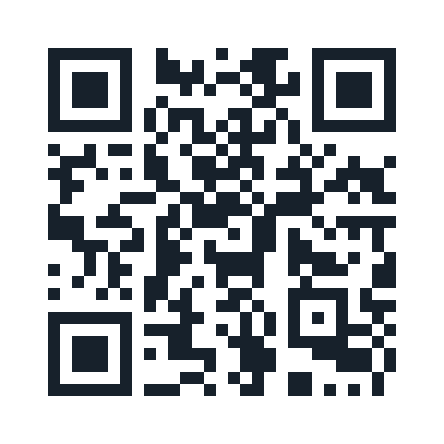
Scan the QR code with your phone’s camera. MealTab will open directly on your phone while you keep this guide open on your device.
Tap the button below to open the beta on this phone.
By participating in the MealTab private beta, you agree to the Beta Terms and acknowledge the Privacy Policy.
Or type https://mealtabapp.netlify.app/ into your phone’s browser.
The browser is only used for installation. Do not test MealTab in the browser.
This is the step that turns the beta into an app on your phone.
Safari or Chrome opens temporarily.
Use Share on iPhone or the Chrome menu on Android.
Close the browser and launch MealTab from your Home Screen.
Close Safari or Chrome. From now on, open MealTab by tapping the MealTab icon on your Home Screen. Then try a few of these:
Close your browser, return to your Home Screen and tap the MealTab icon to open the app.
Keep this guide open on your device while you test MealTab on your phone. Submit your results when you are finished.
Open the Beta Test Guide on this phone and submit your results when you are finished.
Open Beta Test Guide →Having trouble? Reply to your beta invitation email and include your phone model and browser.